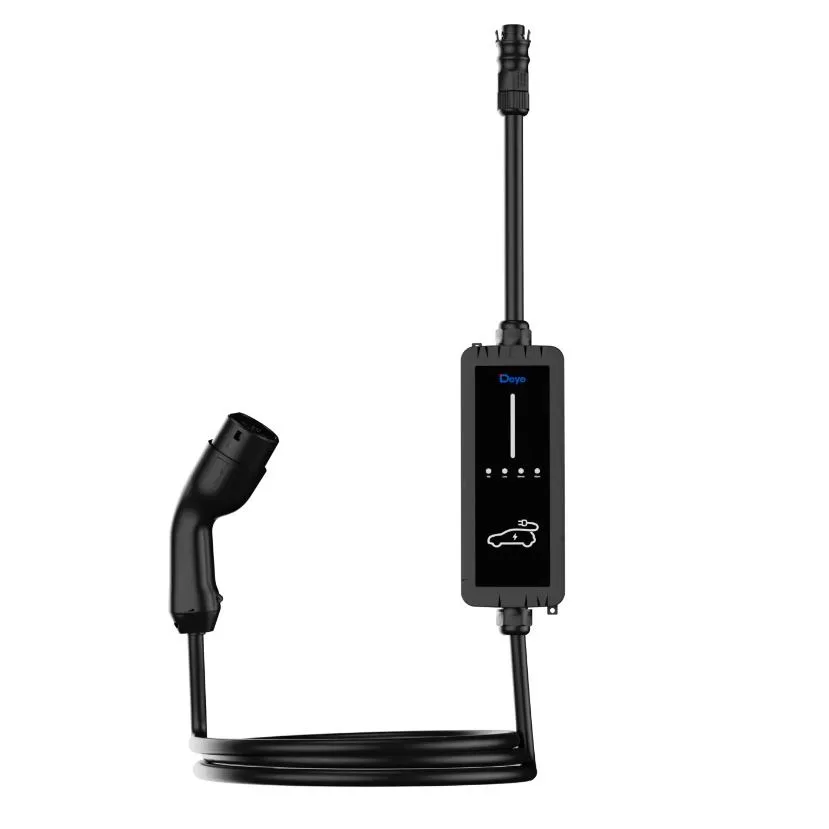
This is the configuration of the Deye EV charger (SUN-EVSE11 or SUN-EVSE22). There are two schemes, not one. If the inverter has a Smart TX LoRa antenna, control goes over radio. If there is no antenna, control goes over Wi‑Fi in Deye Cloud — you already have the app. It is not a fitting guide: the cabling is already done.
There is no meter in either scheme. No Smart CT, no SDM, no extra clamp. The inverter, if there is one, already measures the grid with the CTs from the solar plant.
On green firmware (Peak Shaving, fine Solar-only without a battery) we already laid the cards on the table in what is still green on the Deye EVSE. Neither version contradicts that. The useful ceiling today is Max charge power, set by hand.
LoRa version: inverter with Smart TX antenna
The kit for this version: Smart TX LoRa antenna + charger. There is no meter. If a guide on the internet tells you to pair a meter, that guide is not this house.
LoRa is the radio Deye uses so the inverter can send commands to the charger without relying on the house Wi‑Fi. Wi‑Fi is for seeing data in the cloud. Control — maximum power, solar mode, off-grid shutdown — travels through the antenna. If you pair it badly, or leave “Grid port” ticked with the cable on Load, the car “won’t charge” and the kit is not broken: it is obeying a map that is not your consumer unit.
The rule you do not improvise
The port checkbox must match the cable. Load → EV_charge device connect at LD port. Grid → EV_charge device connect at Grid port. If not, the inverter counts energy wrong and sends the wrong power.
There is no meter. Full stop.
Deye calls the menu where you pick the antenna Meter Select, because the Smart TX plugs into the inverter’s Meter port. That is not a meter. Smart CT stays empty. There is no serial number to type there.
1. Get the inverter ready for Smart Devices
With no Smart Devices menu there is no pairing. Under Advanced Function:
- Under Meter Select, choose Smart TX. You are picking the antenna, not a meter.
- Leave EX_Meter For CT unchecked. Deye’s manual is clear: that box is for using an external meter (CHNT / Eastron) instead of the CTs, in Zero export to CT mode. There is no meter here. The inverter’s own CTs keep measuring the grid. If you tick it, the inverter looks for a meter on the port where the antenna sits.
If Smart Devices does not appear under System Setup, the inverter firmware does not include it. It needs an update. If the hardware is too old, Deye does not guarantee that any firmware will add it: that is confirmed with SAT, not invented in front of the customer.
The Smart TX antenna is the LoRa master node. Without it — or without selecting it in Meter Select — the charger can live over Wi‑Fi as a dumb wallbox; it does not receive the power cap or the hybrid’s modes.
On Smart Devices you will see four icons: Smart CT, Smart Switch, Smart EV Charge, Smart TX. Leave Smart CT empty. Blank CT1 and CT2 is the correct state. Do not paste the charger SN there, and do not invent one.
2. Pair the charger over LoRa
The EVSE’s factory communication mode is LoRa, not Wi‑Fi. Wi‑Fi is configured separately if you want the charger in Deye Cloud. Pairing with the inverter is this:
On the inverter display
- Main screen → gear icon top right → System Setup.
- Smart Devices → Smart EV Charge (bottom left).
- Tick Enable.
- In the SN box, Edit SN and type the serial number from the charger label. No invented digits. OK to save.
On the charger body
- Hold the touch button at least 1 second until the LED strip turns purple. That is a channel scan.
- On a good pair, the strip goes to blue breathing and the charger’s LoRa LED blinks once per second.
The commissioning killer: in LoRa mode the charger does not really start until the inverter has sent the Max charge power value (after power-on or a restart). If you paired, LoRa looks alive and the car does not draw, look at that number before declaring the unit dead.
Charger default channel: 6. If the EV icon on the inverter detail page is grey, Deye says to check three things, in this order: SN typed correctly, Enable ticked, Smart TX channel on 6. The channel is changed under Smart Devices → Smart TX. If you change it, the other LoRa devices already paired follow on their own.
3. Grid or Load: one checkbox, the one that matches the cable
On the same Smart EV Charge page there are two options that look like twins and are not:
| What the screen says | What it means |
|---|---|
| EV_charge device connect at Grid port | The charger is on the grid side of the hybrid. In a power cut it dies with the utility. |
| EV_charge device connect at LD port | The charger is on Load / backup. It can stay alive off-grid, under the SOC rules you set below. |
You tick one. The one that matches the cable already there. Not “both”. Not “doesn’t matter”. The inverter uses that box to know which side the car’s consumption sits on. If the cable is on Load and you leave Grid — or the other way round — you will see powers that do not add up, modes that do not cut, and, on Load, a backup that eats the car without the inverter having budgeted for it.
4. Max charge power (the cap that travels over LoRa)
Range Deye accepts: 0 to 22,000 W. In Plug and play and Time of charge, that cap is the order that travels over LoRa. On Grid it is the most you let it draw. On Load it is also the backup budget.
A rough sum, on purpose, for the Load case. An 8 kW hybrid with fridge, boiler, router and critical lights drawing 1.5–2 kW cannot have the charger at 7 kW on Load “because the catalogue says 7”. You have something like 4–5 kW of headroom left, and that is on a day you do not switch the oven on. The cap is set below that margin, not at the wallbox nameplate.
On Load, Max charge power is not “the most the charger can do”. It is the most you can afford without killing the house in a cut. On Grid the number is still required: without it, in LoRa, the charger does not start.
Today the fine automatic adjustment to contracted power (Peak Shaving) is still green on part of the fleet. Translation: this cap is manual. If you switch on the hob, the tank and the air-con at once, the fixed ceiling will not save contracted power. That is why the number is chosen with the house in front of you, not from the PDF.
5. Modes: what each one actually does
On the same screen, besides the port and the cap:
- Plug and play. The charger behaves like any other load, with no schedule. It still obeys Max charge power.
- Time of charge. The day is split into four slots (only the fourth can cross midnight). In each one you decide whether it charges or not.
- Solar energy only (SOC > 95 %). The inverter sends a 0 limit until the battery reaches 99 %. Charging starts. If SOC drops to ≤ 95 %, it goes back to 0 and stops. Deye requires Solar sell enabled in the work mode. And there is small print people do not read: even without enough sun, the charge floor stays at 6 A. That is not “zero grid”. It is “almost solar-only, with a floor”.
- Free work. It can feed the charger from the inverter module (sun + battery discharge) and from the grid bypass.
- Off grid EV Charge off + Off grid SOC. When the hybrid goes islanded: if SOC is not above the threshold, the charger switches itself off. If it is above, it carries on. On Load this is not cosmetics: it is what stops the car leaving the house in the dark at 03:00. On Grid a utility cut already kills the wallbox; the threshold is still worth setting in case the cable later moves to backup.
A car that “won’t charge” with a schedule active, or in Solar-only with the battery at 80 %, is not faulty. It is doing what you asked. Look at the mode before you touch anything else.
6. How you check it is alive
On the main screen, tap the centre circle and use UP / DOWN to reach the Smart Devices page.
- Green EV icon and charge power showing: LoRa and control OK.
- Grey EV icon: no communication. SN, Enable, channel 6, Smart TX selected and powered.
- Red EV icon and a code: alarm. On the charger itself the red LED counts blinks (F1 overcurrent, F2 overvoltage, F3 undervoltage, F4 leakage, F10 earth, F11 LoRa…).
In the app (Deye Cloud / Solarman): open the plant; the power-flow diagram should show the charger icon. From there you see and change the same parameters as on the LCD. If the inverter is in the plant and the charger is not, pairing did not close, however pretty the LED looks.
The EVSE’s own LEDs, in short:
- LoRa green, 1 blink/s: radio alive.
- LoRa off: no radio. Antenna, channel, Enable.
- Wi‑Fi green, 1 blink/s: cloud. That is something else. You can have Wi‑Fi and no LoRa control, and the other way round.
7. What usually fails (and it is not the car)
- Looking for a meter that is not there — Smart CT, SDM, extra clamp, “meter included”. The kit is antenna + charger. If Smart CT has an SN, the inverter waits for a device that does not exist.
- Port checkbox not matching the cable — Load with Grid port, or the other way round.
- Max charge power at 0 or never sent after a restart. In LoRa, without that number the charger does not work.
- Smart TX not selected in Meter Select (the antenna, not a meter), or unpowered.
- SN mistyped from the label. One extra digit and the icon stays grey.
- Channel other than 6 with the charger still on the factory channel.
- No Smart Devices menu and you are pairing “by eye” over Wi‑Fi. That is not this scheme.
- Solar-only without Solar sell, or with the battery below 99 %. The limit the inverter sends is 0. The LED will not shout “wait until the battery fills”.
- Time of charge schedule with the current slot off. It is 21:00, the slot ended at 20:35, the car is not the culprit.
Closing list
If this is green, configuration is closed
- Meter Select = Smart TX (the antenna). EX_Meter For CT unchecked. Smart CT empty: there is no meter.
- Smart EV Charge: Enable + SN from the label.
- Purple scan on the charger → LoRa at 1 blink/s.
- Port checkbox = cable: Grid port or LD port, not the other one.
- Max charge power sent. If it is on Load, below the backup margin of this house.
- Off grid SOC set; Off grid EV Charge off understood, not left to chance.
- Green EV icon on the LCD, with a test car plugged in and watts on screen.
If there is no LoRa antenna, do not force this recipe: go to the Wi‑Fi version.
Wi‑Fi version: no LoRa antenna, Deye Cloud
Deye inverter without Smart TX. The kit is the charger. No meter. Deye Cloud is already on the phone. Linking is done there, in the plant. No charger hotspot, no 10.10.100.254 page.
The rule for this version
The SN and QR are from the charger label, not the inverter dongle. If the app asks for house Wi‑Fi, it must be 2.4 GHz.
1. Link the charger in Deye Cloud
In the plant
- Open Deye Cloud and enter your plant.
- Bottom right: Device.
- Smart Device → the + on that screen (bottom right). Not a + on the plant list.
- Scan the QR on the charger label. If it will not read: Enter SN and the number from that same label.
- Device type: EV Charger → Confirm.
- If it asks for house Wi‑Fi: the 2.4 GHz network and its password. 5 GHz will not do.
Phone Bluetooth on. The “Succeeded” popup closes the link.
2. Cap and modes, in the same app
On the plant, scroll to Smart Home → EV Charger.
- Max Charging Power: the cap. 0 to 22,000 W. Without it, or at 0, it does not draw. If the cable is on Load, that is the backup budget of this house. Automatic Peak Shaving is still green.
- Plug and play / schedule (up to four slots a day).
- Solar Energy Only and Off-grid → EV Charger Off, if they appear. With no LoRa antenna the inverter does not send SOC over radio: do not expect fine Solar-only.
3. How you check it is alive
- EV Charger shows under Smart Home.
- Max Charging Power set, not 0.
- Test car and watts on that screen.
Do not look for the EV icon on the inverter LCD. With no Smart TX there is no Smart EV Charge on the hybrid display. Here the charger is seen in Deye Cloud.
4. What usually fails
- SN or QR of the inverter dongle, not the charger’s.
- Looking for a + on the plant list. The + is on Smart Device.
- 5 GHz network if the app asks for Wi‑Fi.
- Looking for an antenna, a meter or Smart CT that this version does not have.
If this is green, the Wi‑Fi version is closed
- Deye Cloud → plant → Device → Smart Device → +.
- QR or SN of the charger. Type EV Charger. Confirm.
- Smart Home → EV Charger: Max Charging Power set.
- No meter. No Smart CT. No Smart TX.
If the antenna is fitted later, go back to the LoRa version. And if what you were sold is “dynamic charging that respects contracted power on its own”, read first what is still green.
The + does not appear on Smart Device, or the QR will not take? We will look. No-obligation study · WhatsApp 692 22 97 13 · chargers we install.
Configuration guide from A Todo Sol Instalaciones Fotovoltaicas SL, September 2026. Two schemes: Smart TX LoRa antenna + charger, or charger linked in Deye Cloud (Smart Device). No meter in either. Menus from Deye Cloud (Smart Device / Smart Home) and the SUN-EVSE11/22K01-EU-AC EVSE manual.