Your whole solar system, in one app
What your panels produce, your home live, alerts if you lose power, your paperwork, your invoices and your team. We built it ourselves, for our customers, and it works with the equipment we install.
Not a customer yet? Download it and open the demo from the sign-in screen: a sample home, no account needed.
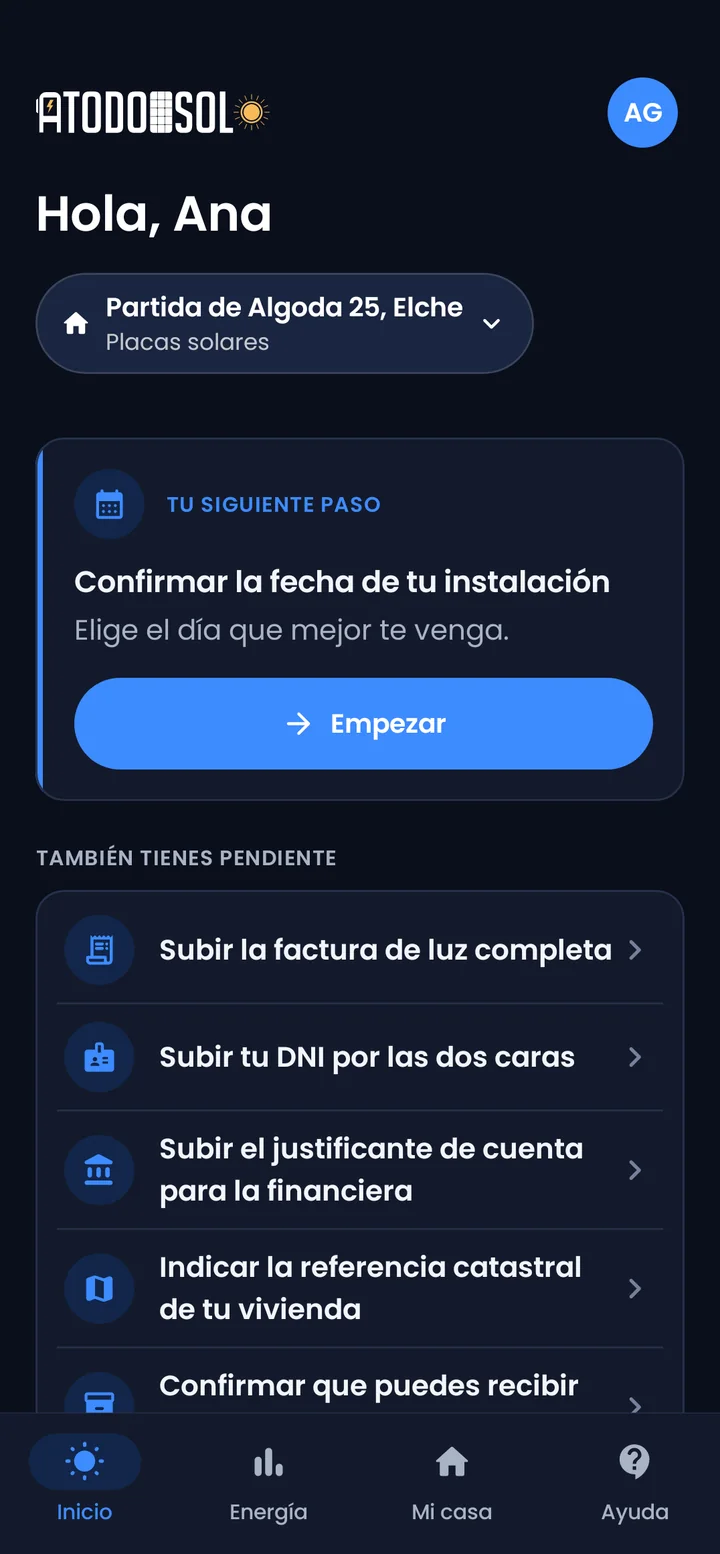
One team, one system: everything works
Usually the panels go up, you are left with the manufacturer's app and the installer disappears. If something fails, the inverter says one thing, the battery another and nobody calls you. At A Todo Sol everything lives in the same system: your offer, your installation, your equipment, the nightly monitoring and the people who look after you. The app is your window into that system.
We install
Panels, inverter, battery and charger. On installation day we connect your equipment to the internet so you can see it in the app.
We watch
Every night we check your system string by string. If something drops, we see it before you do.
We look after you
Your advisor has a name. And we are there on Saturdays, Sundays and public holidays too.
You see everything
On your phone, in plain words: what you produce, what your home uses, what is happening and what to do.
That is why the app is not an extra: it is the way we work, in your pocket.
What you can do with the app
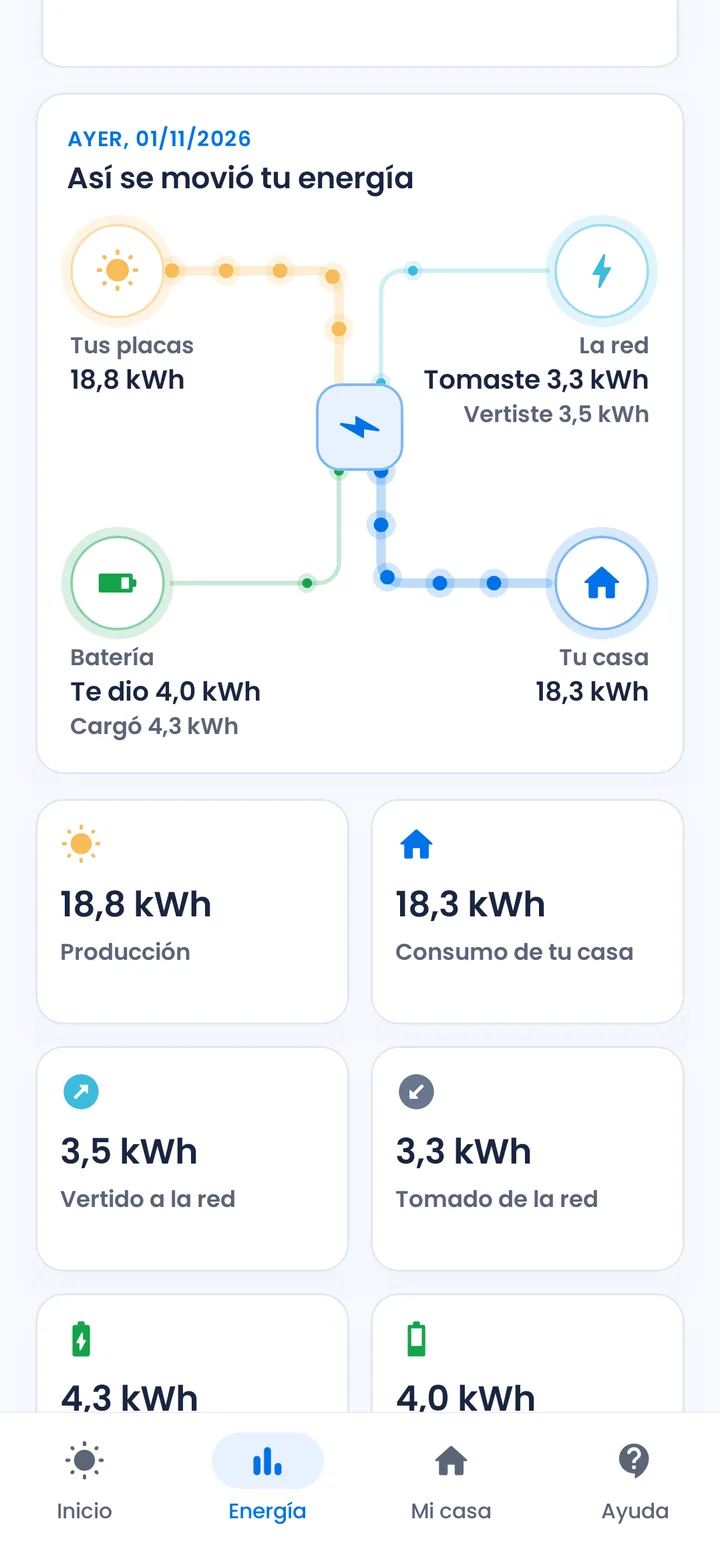
What your panels produce, explained without jargon
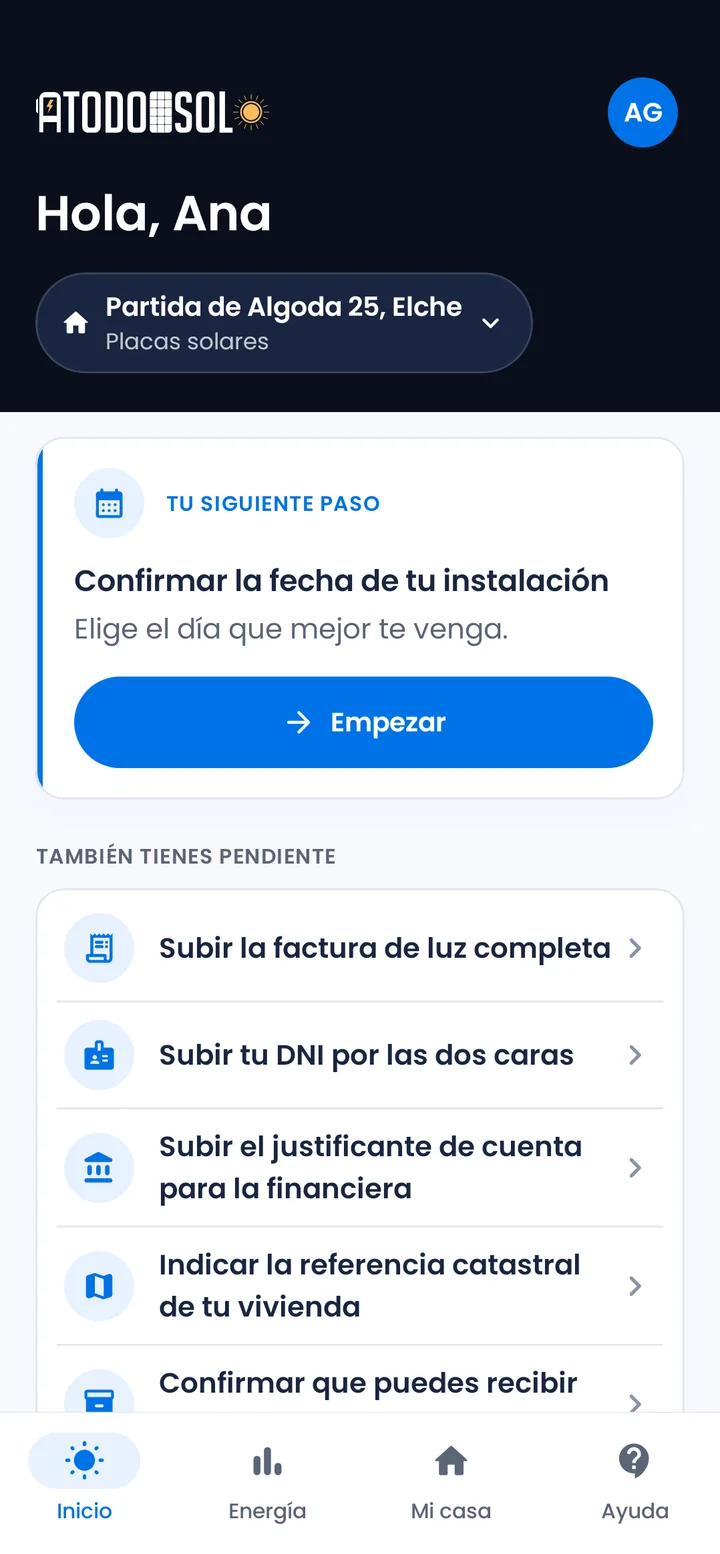
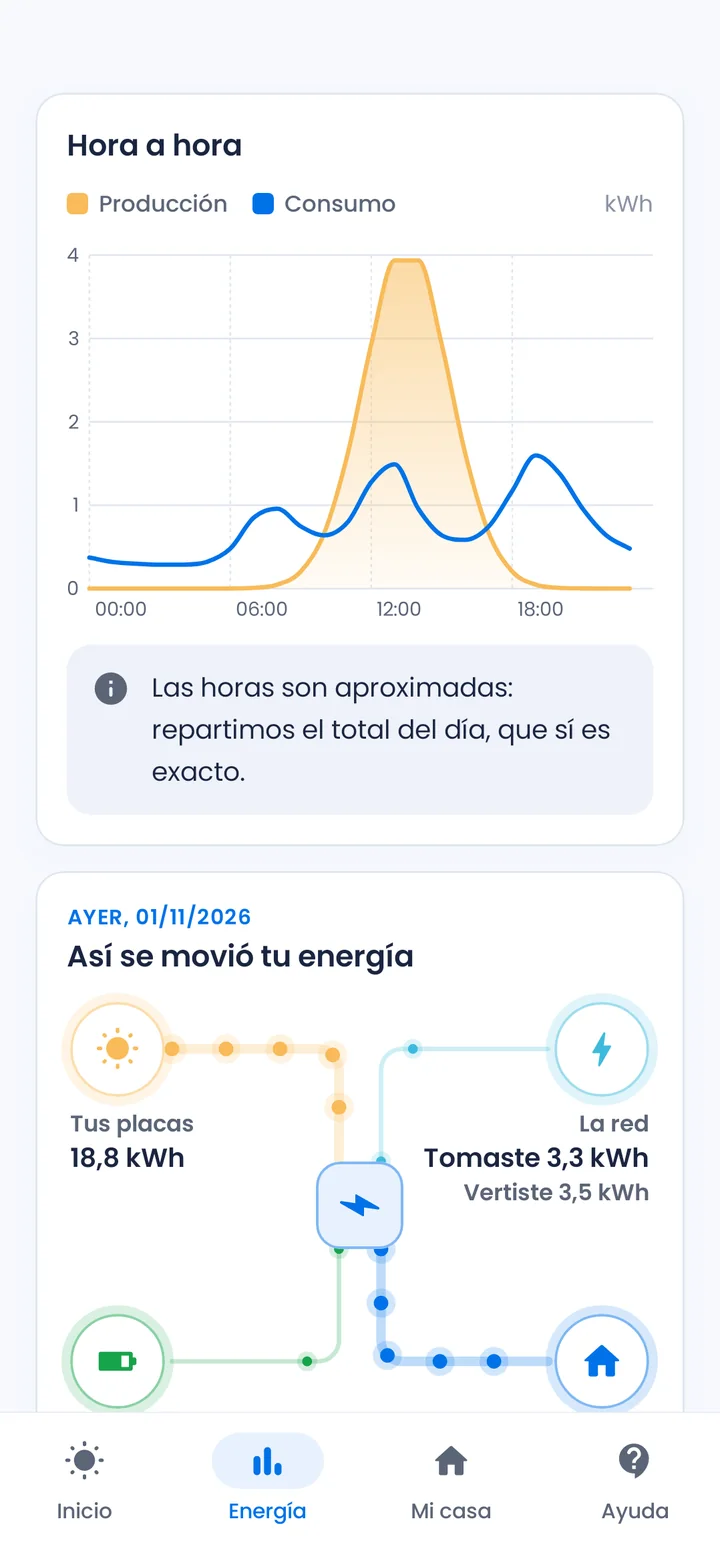
By hour, day, month and year: how much you produced, how much your home used, how much you sent to the grid and how much the battery gave you. And below, in sentences: “Today the sun covers 83% of what your home uses”.
- A drawing of how your energy moved: panels, battery, home and grid
- If a figure is not reliable, the app does not show it
- Several homes, and extensions of the same home, in one account
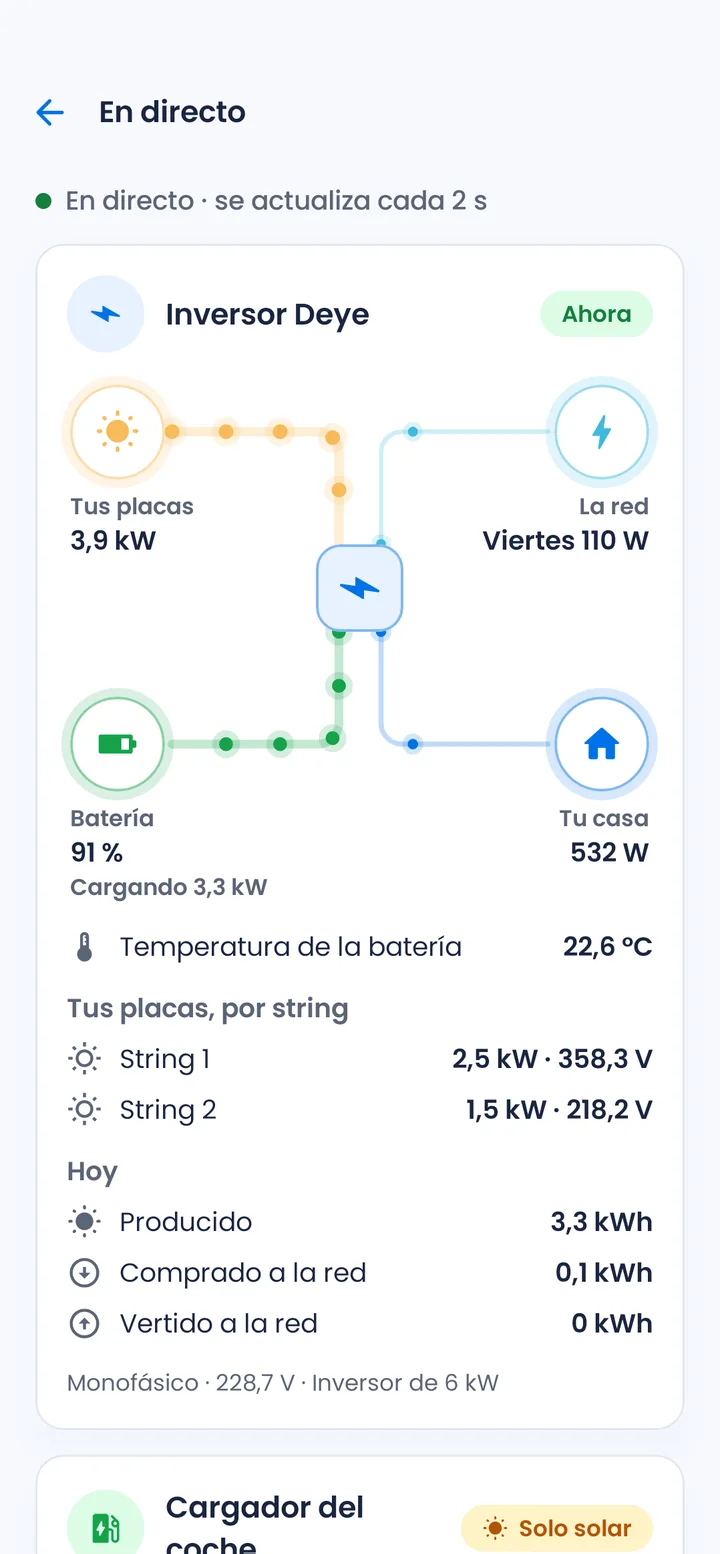
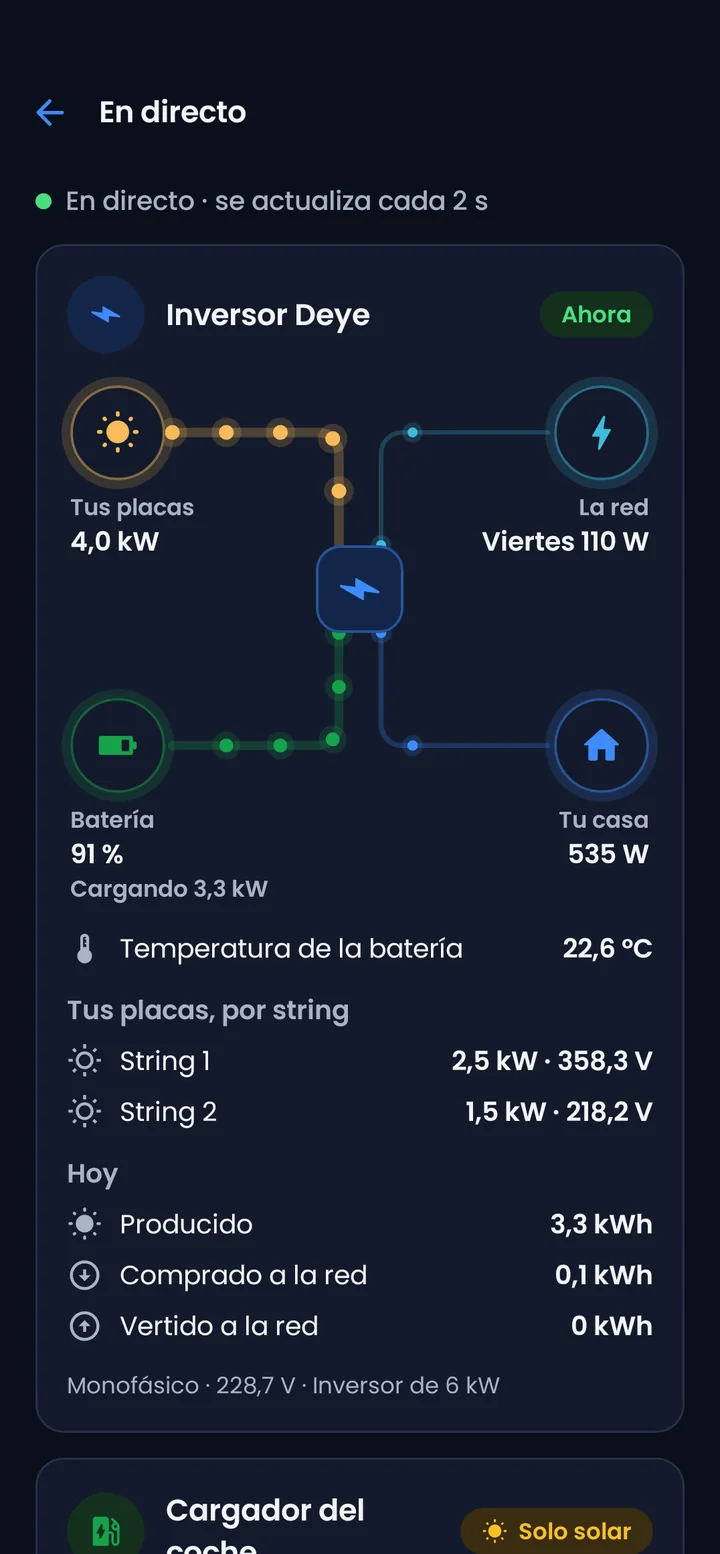
Your home live, every 2 seconds
What your panels deliver, string by string; what the battery charges or gives you; what your home uses and what comes in from or goes out to the grid, right now. From the same screen you set your contracted power, the minimum battery level and how your car charges, solar only or at full power, even when you are away.
- Voltage and power of every string of panels
- Battery temperature and car charger status
- It keeps working when your home is off the grid
With the Atodosol smart board. Without it, you see your inverter's data.
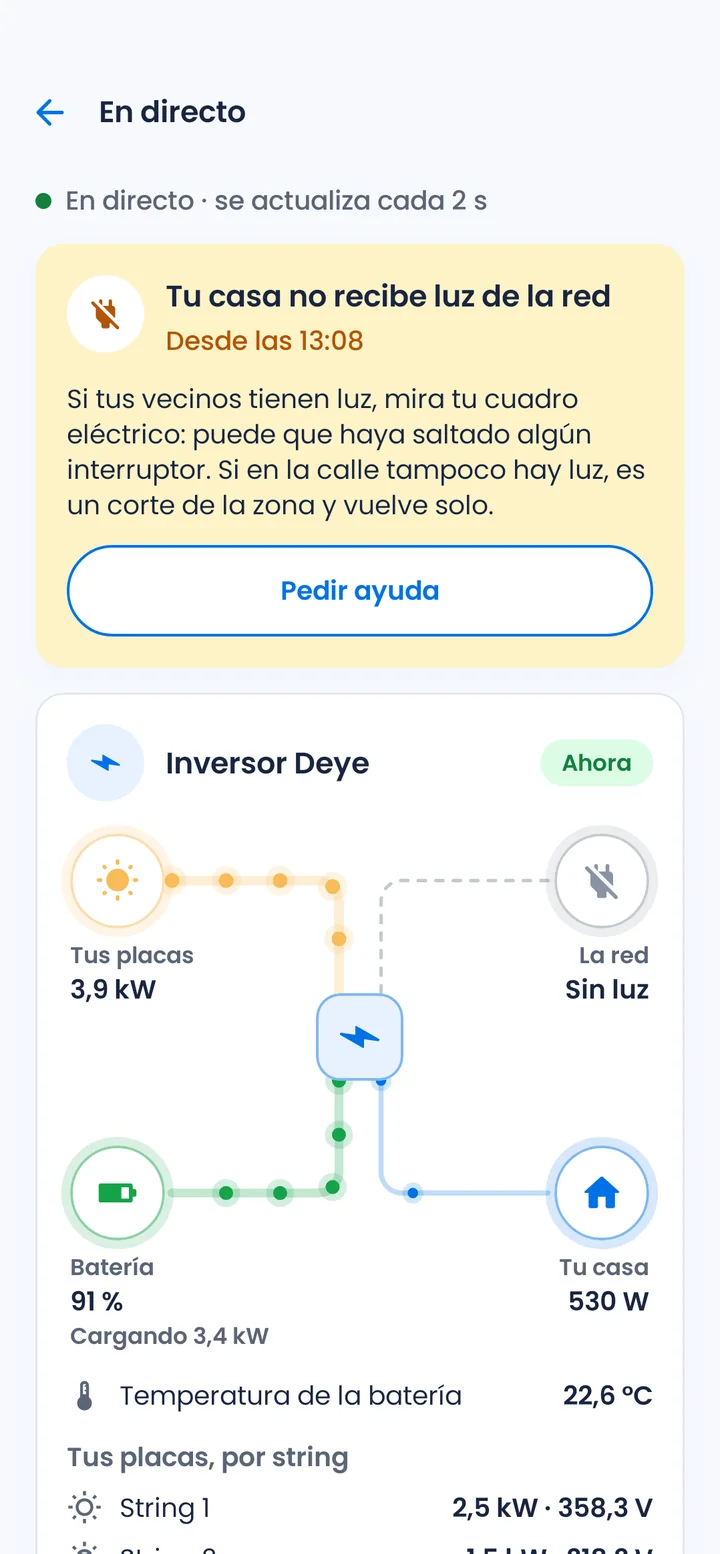
If a protection trips or the power goes, the app tells you
In a storm a breaker trips or the street power goes. The app alerts you, tells you since what time your home has had no grid power and what to check first in your board. If you have a battery with backup, you will see your inverter keeps powering your home without the grid.
- A phone alert if your home loses grid power or your inverter disconnects
- You choose the hours for alerts
- “I have no power at home”: three questions and the team gets your alert straight away
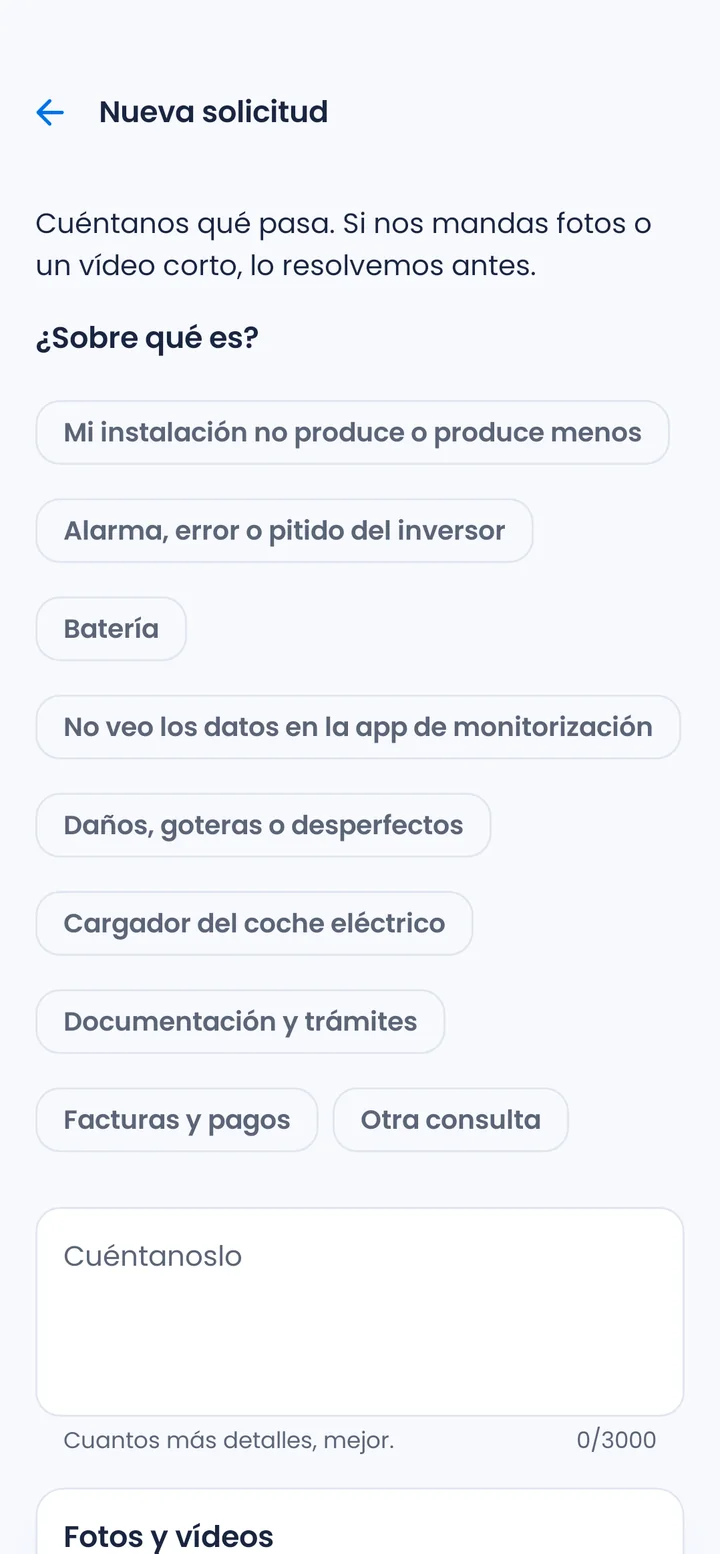
Tell us what is happening and follow the reply
A request with photos, a short video or a PDF, and the reply reaches you in the app. No hunting through emails, no repeating your address and no explaining who installed your system: we know.
- A phone alert when we reply
- Technical service visits with a day and time
- Ask for a quote for an upgrade: more panels, a battery, a charger, heat pump or reverse osmosis
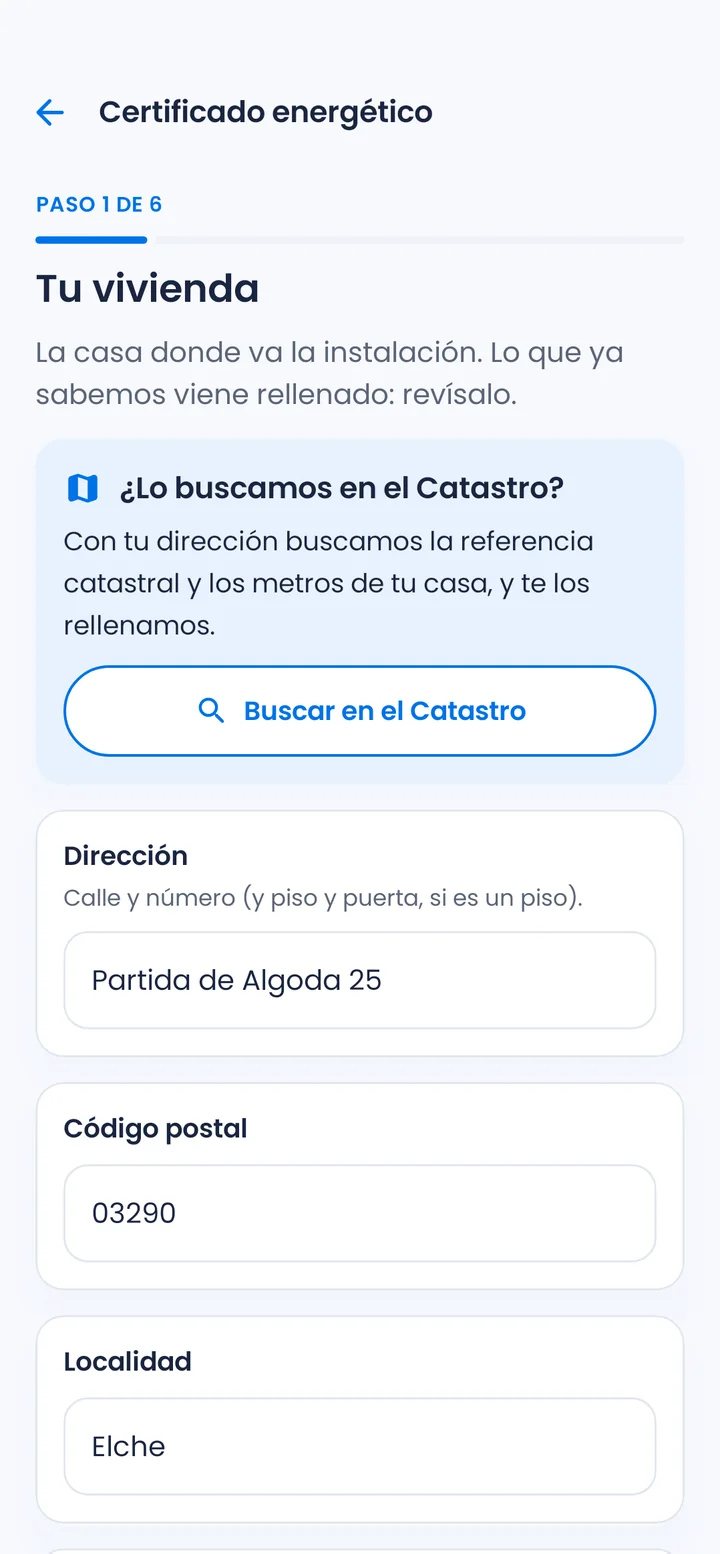
The paperwork, without the paper
Your electricity bill, ID, cadastral reference, energy certificate or home Wi-Fi: the app asks only for what is missing, fills in what we already know and tells you where each procedure stands, including the registration of your self-consumption system.
- We find your home in the Land Registry (Catastro) for you
- The energy certificate in six sections, with photos and your signature with a finger
- You always know what we are doing and what depends on you
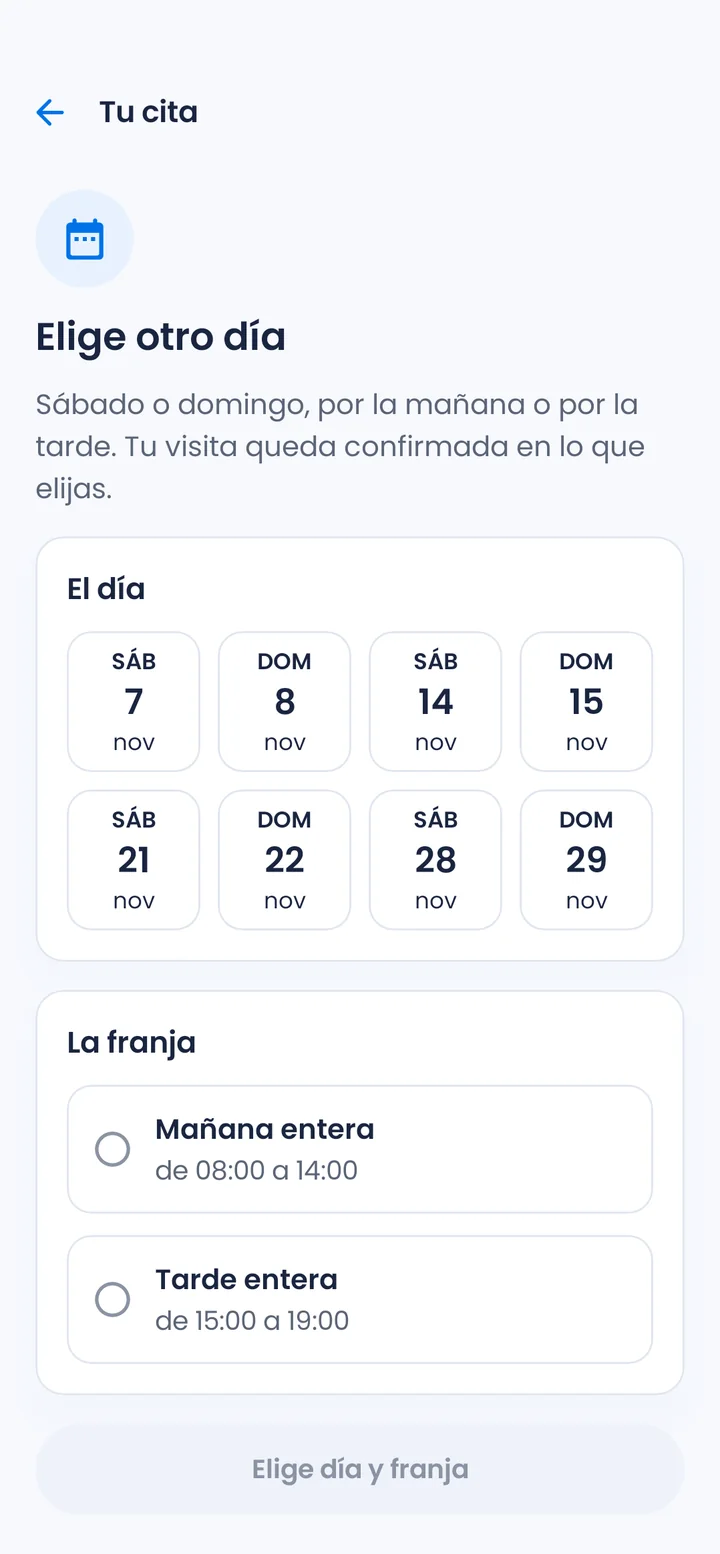
The visit and the installation, on a day that suits you
We suggest days and you choose, without calling. If none suits you, ask for a Saturday or Sunday. You see installation day in the app and we let you know when the team is on its way.
- A whole morning or a whole afternoon, as you prefer
- Saturdays and Sundays too
- A heads-up when the team is on its way
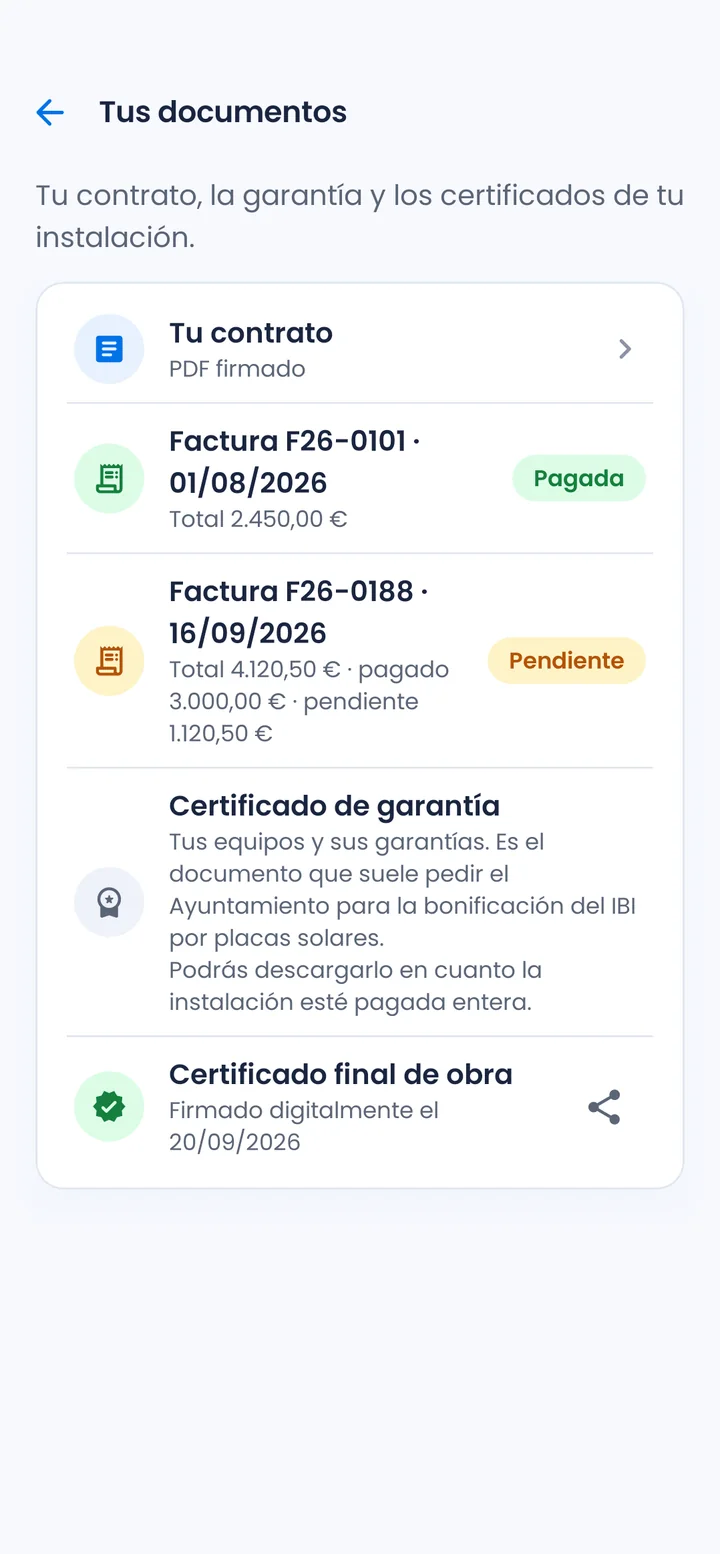
Contract, invoices and warranties, always at hand
Your signed contract, every invoice with what is paid and what is pending, your equipment warranty certificate and the final completion certificate, as PDFs. Share them from your phone when someone asks, for example for the IBI property-tax rebate.
- Everything as PDF, to download or share
- Invoices with what is paid and what is pending
- Your equipment warranty certificate
Your energy on your home screen, without opening the app
With the “Home energy” widget you see at a glance what your panels deliver, what your home uses and how your battery is doing, right on your phone's home screen. A customer gave us the idea, and we built it for everyone.
- Solar, home and battery; on the large size, also what you buy from or send to the grid and, when your board measures it, what your panels have made today
- It updates by itself about every 15 minutes (your phone decides), straight away with its button and, while you have “Live” open in the app, almost instantly
- Tap it and the app opens on “Live”
- Light or dark, to match your phone
Only with the Atodosol smart board, which reads your home in real time.
- Solar4.23 kW
- Home8.71 kW
- Battery↑58%
- Solar4.23 kW
- Home8.71 kW
- Battery↑58%
- Buying4.48 kW
- Today18.2 kWh
How to add it
Android
Touch and hold an empty spot on your home screen, tap “Widgets” and look for Atodosol.
iPhone
Touch and hold an empty spot on your Home Screen, tap “Edit” → “Add Widget” (on iOS 17, the “+” at the top) and search for Atodosol. You can also put it on your Lock Screen: touch and hold it, tap “Customize” and add it.
It arrives with the next version of the app, for Android and iPhone.
Open it and the app spreads out
On an open iPhone Duo, the Atodosol app turns sideways and uses the whole screen: your hour-by-hour production right next to the path your energy took between panels, battery, grid and home, all in view without scrolling. The main screens are laid out in two columns. We designed it ourselves, screen by screen, for the big screen too.
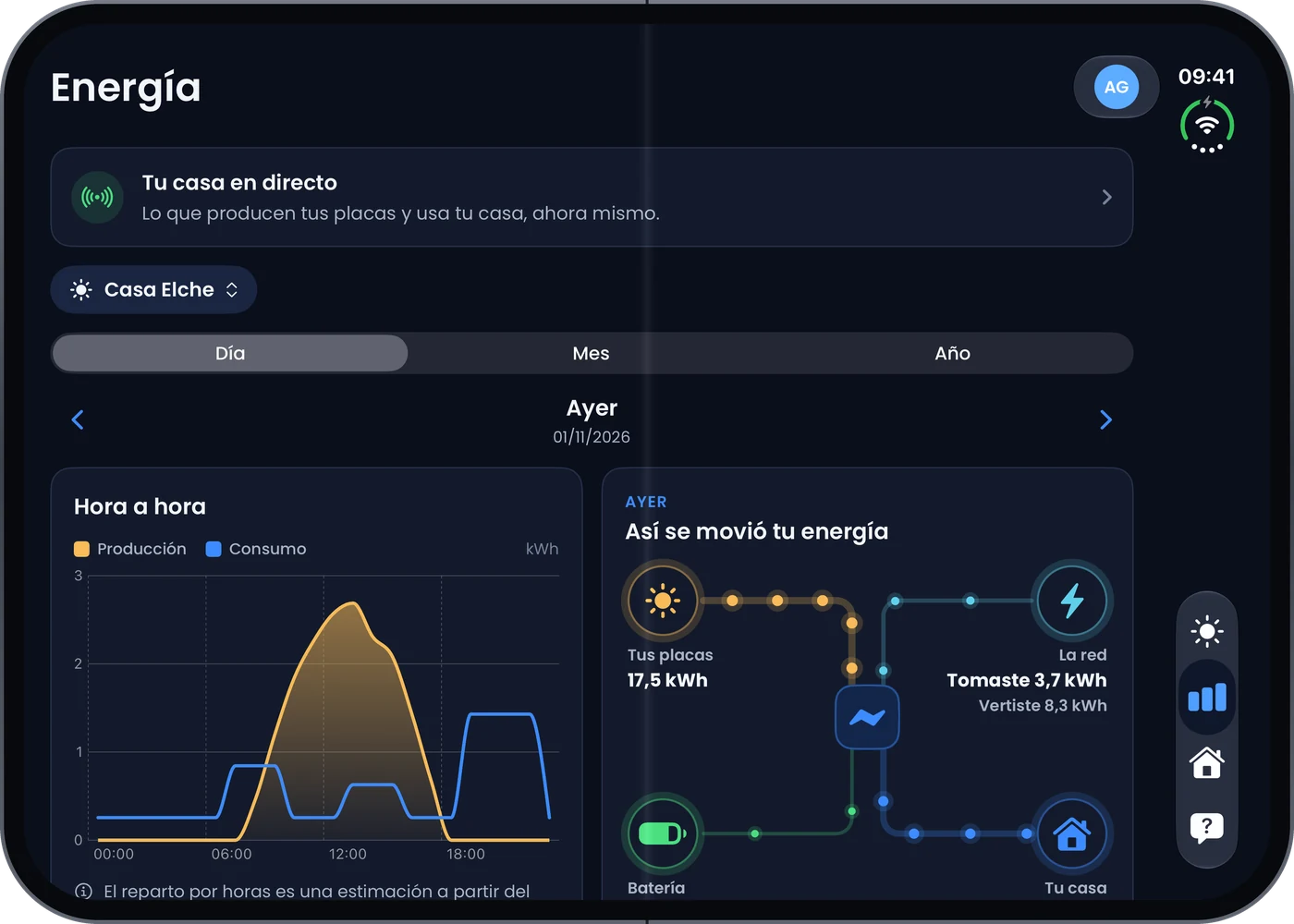
The open iPhone Duo layout arrives with the next update of the iPhone app.
And on every screen, the same: clear and at hand
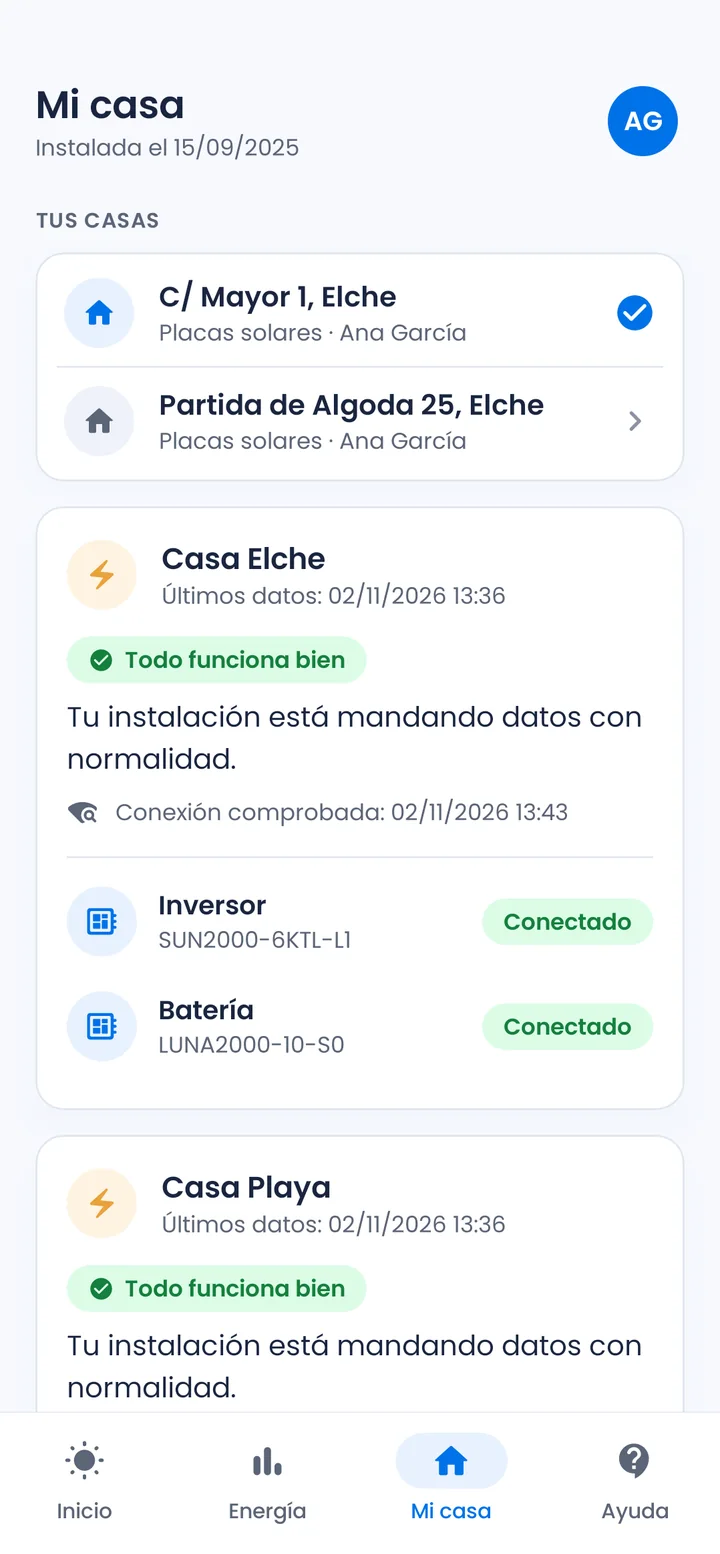
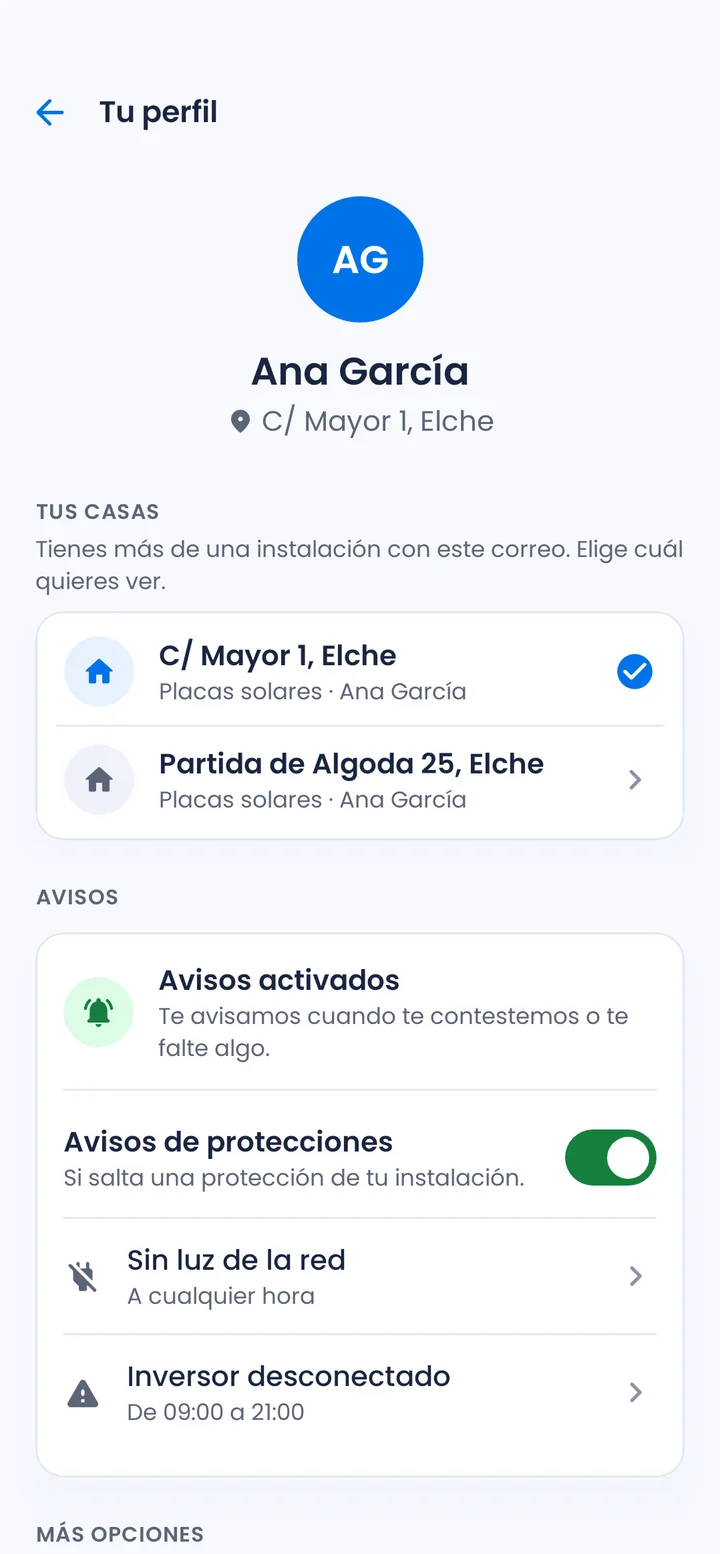
New Wi-Fi at home? You change it yourself, with no manufacturer accounts
If you change your router or password, the app guides you to move your Huawei inverter, the Deye dataloggers and the smart board to the new Wi-Fi, step by step and with no manufacturer passwords. What ends in a site visit with other installations takes a few minutes here.
And also
No passwords
You sign in with a link to your email. After that, with Face ID or your fingerprint.
Upgrades for your home
The smart board or reverse osmosis, paid for in the app.
Refer and earn
Invite your friends with your code or a link and get paid what you earn.
In Spanish and English
With light and dark mode.
The manufacturer's app versus the Atodosol app
The manufacturer's app is made for the device: it shows you what it measures. Ours is made for your home and for you, and it does not replace it: it reads its data and adds everything else.
| Atodosol app / Manufacturer's app | Atodosol app | Manufacturer's app |
|---|---|---|
| Panels, battery, inverter and charger | In one app, Huawei and Deye | Each device with its own app and account |
| What you produce and what your home uses | Explained in sentences | Technical charts and data |
| Your home live | Every 2 seconds, with the smart board | Whatever reaches its cloud, with a delay |
| If you lose power or the inverter disconnects | We alert you and tell you what to check | A device alarm code |
| Changing your equipment's Wi-Fi | From the app, with no manufacturer accounts | With the manufacturer's account and passwords |
| Asking the people who installed it for help | Requests with photos and “I have no power at home” | The manufacturer does not know your installation |
| Appointments, paperwork and energy certificate | Yes | No |
| Contract, invoices and warranties | Yes, as PDF | No |
The app grows every week
This is already built or under way, and it reaches your app in the next versions. We only tell you about it when it is really on its way.
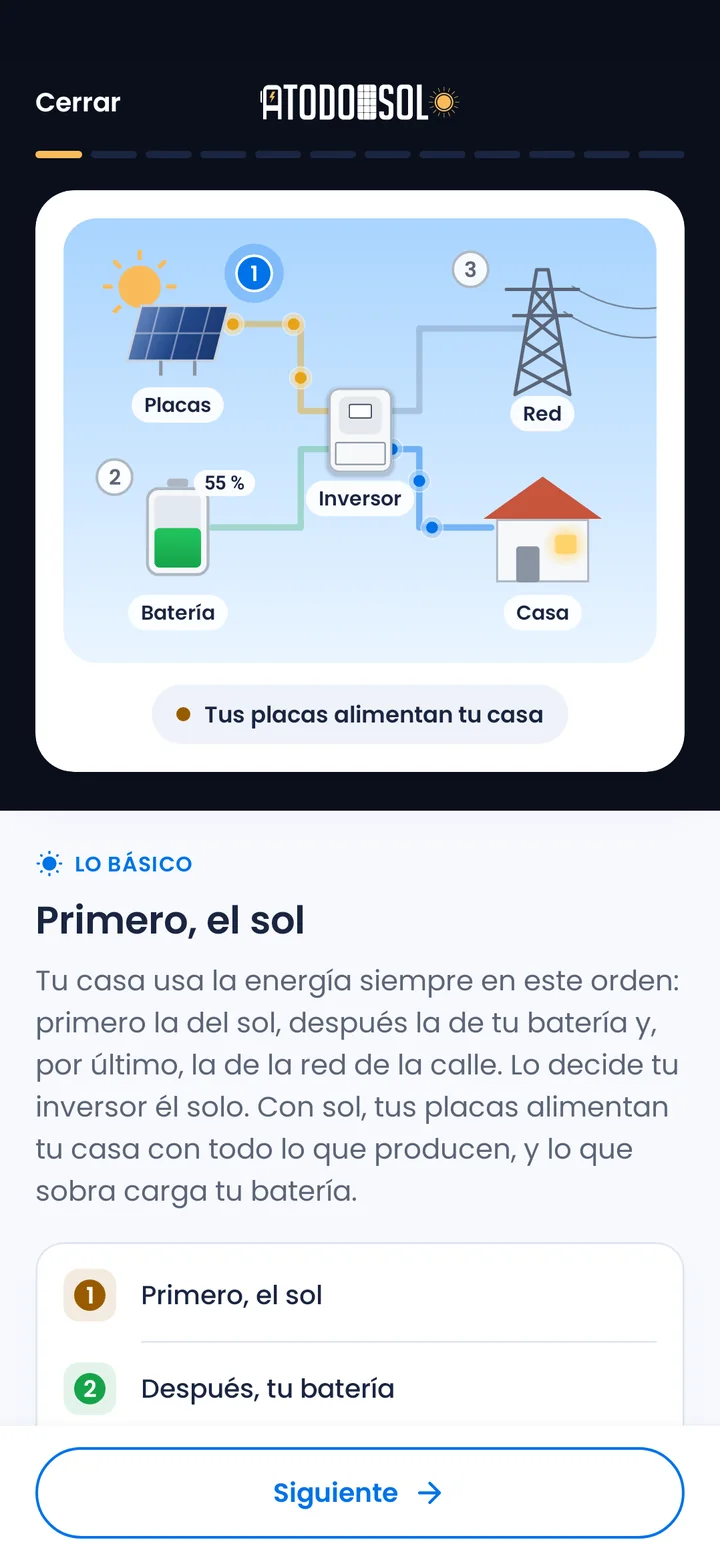
Help signing in
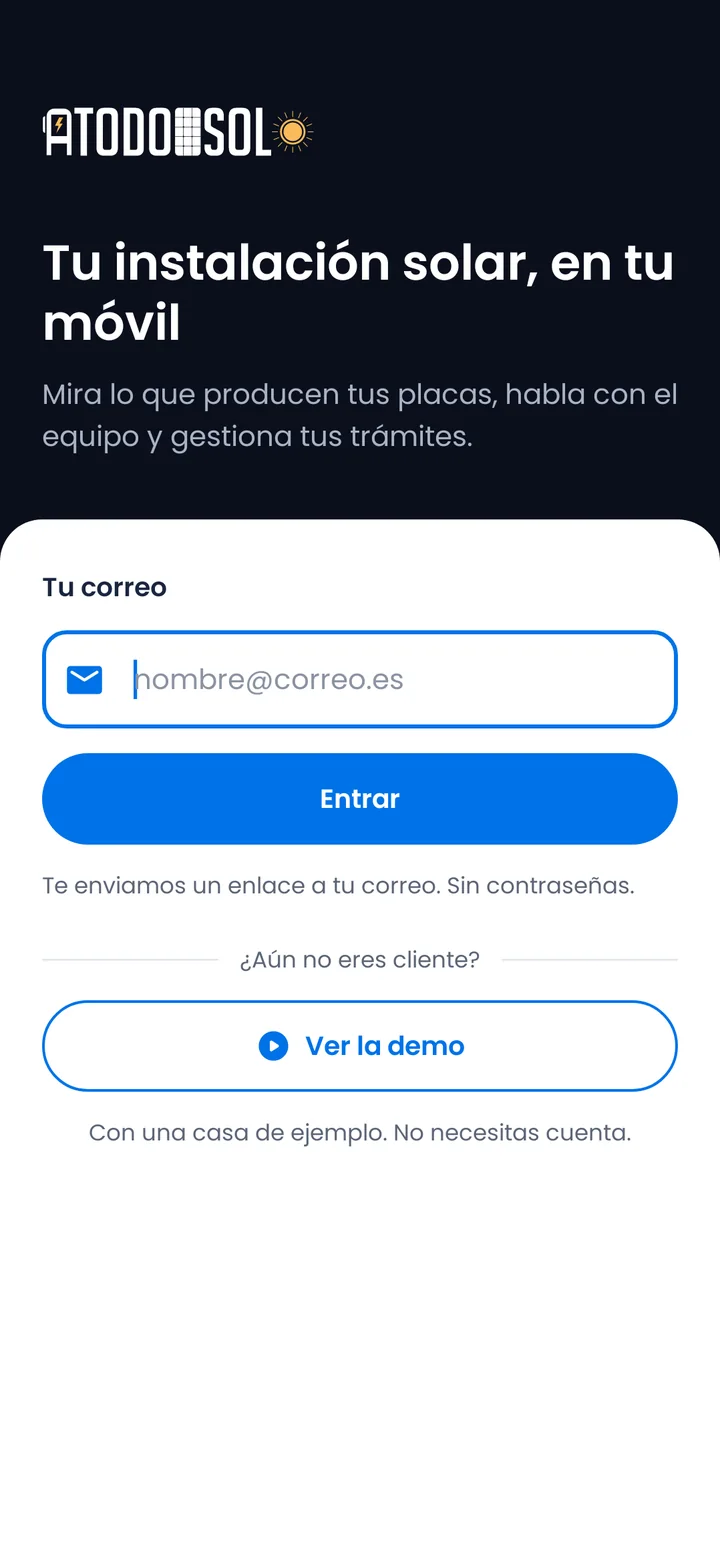
How to sign in
- Open the app and enter the email you used to sign with A Todo Sol.
- We send a link to that email. Open it on the same phone and you are in, with no password.
- If you don't see it in a few minutes, check “Spam” or “Promotions”. The link works only once: if it has expired, ask for another one from the app.
After that, the app opens with Face ID or your fingerprint. If the link still doesn't arrive, your contract may have a different email: call us and we will check it.
Not a customer yet?
On the sign-in screen, tap “See the demo” (on iPhone, “Discover the app”) to see what having panels with A Todo Sol is like, with a sample home and no account.
Contact
- Technical support: +34 692 22 97 13
- WhatsApp: +34 692 22 97 13
- Email: info@atodosol.es
If you are already a customer, you can also write to us from the Help tab in the app.
Privacy
How the app handles your data: Atodosol customer app privacy. To close your account, go to Profile → “Request to delete my account” or write to us.
Frequently asked questions
Download the Atodosol app
Free for A Todo Sol customers. You sign in with your contract email, with no passwords.